Better alternatives
In this section I'll explore some software that can replace the standard windows software that you might use, these are all free to use so you don't have to worry about spending money.
I obviously can't cover all existing software so if there's ever a specific application that you want an alternative for you can head over to https://alternativeto.net/ and check out all the community suggested options.
Everything
Download
If you've ever been annoyed by how slow Windows file explorer's search function is you might want to try using Everything.
It searches for well, everything on your pc, all files, folders, pictures, videos, everything and it does it way faster than the Windows file explorer can. It's not only for finding your own files, it also finds files and folders that's from Windows itself, so can clean up your pc as much as you like.
This can also be useful for uninstalling apps, because if you didn't know, uninstalling apps isn't completely handled by Windows, it's actually the application that writes the uninstaller and has to make sure everything is actually uninstalled. This can create scenarios where there's leftover files that were forgotten in the uninstall process, or even malicious software that doesn't want to be completely uninstalled so it can for example keep collecting data or leave an easy way back in to your system for them if they want to.
You can filter your search by types, edit filters or even create your own filters.
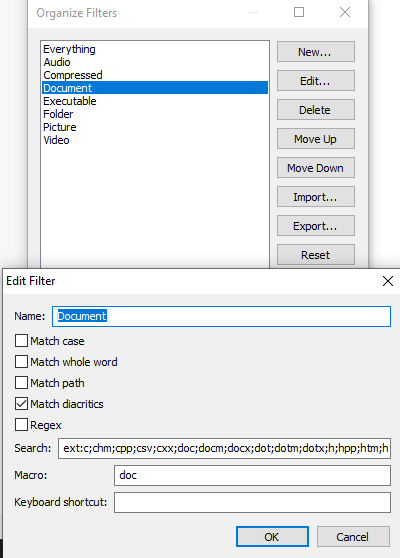
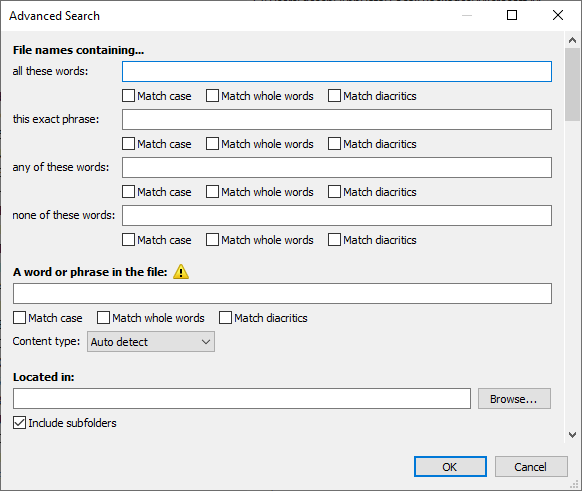
It has more search options: Match case, Match whole word, Match path and Match diacritics (accents like ä, á, â and such) and even Advanced search to completely narrow down your search.
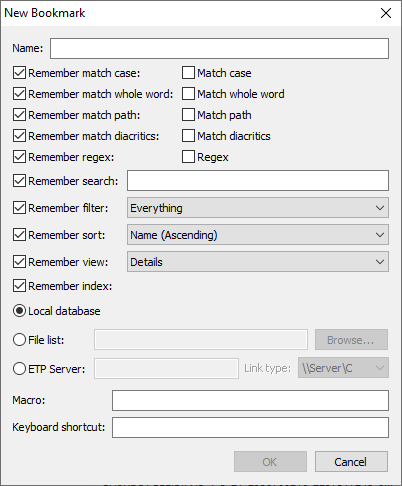
And if you ever want to re-use the search options you just used you can save it as a bookmark that can remember everything from the search to the filters to the sort order to the view complete with a keyboard shortcut to activate it.
Free Commander XE
Download
Free Commander XE is another application that's targeted at Windows file explorer, but not necessarily for its search features, more so for it's layout and easy of use.
You see, Free Commander can have 2 panels next to (or above) each other making it easier to move files between folders, show the actual size of folders, it has tabs so you can quickly switch between folders, you can show or hide the tree view on the left, same with favorites.
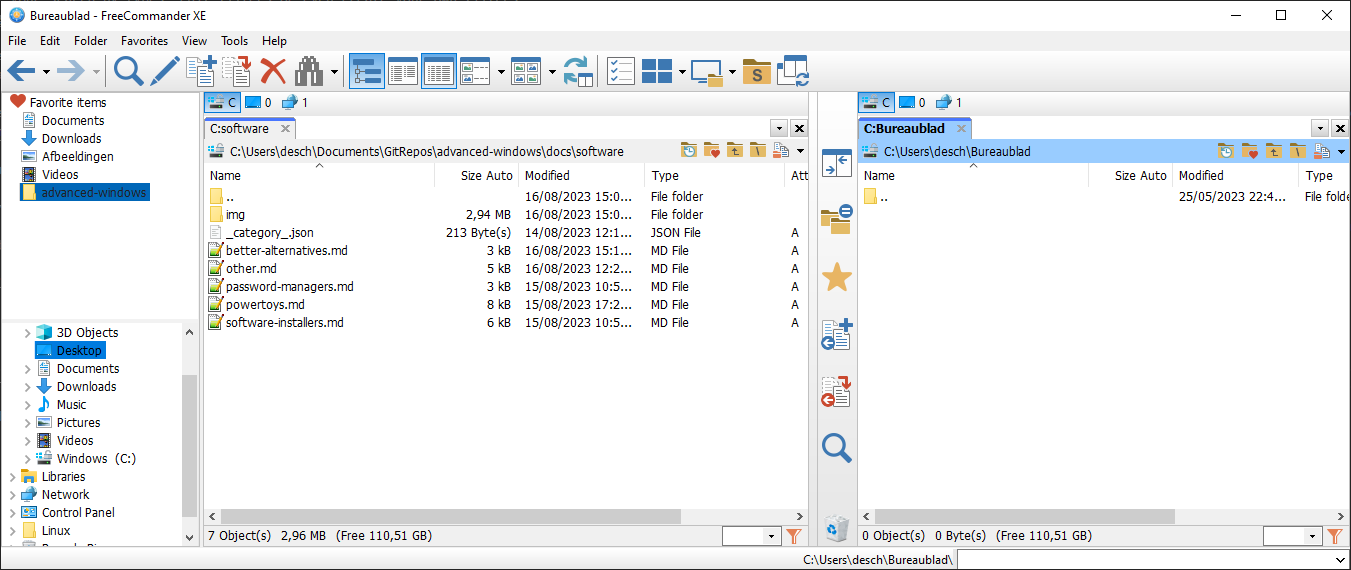
It has built-in archive handling for .zip and there are plugins for .rar, .7z ..., you can search for duplicates, it has a multi-rename tool, you can compare and sync folders and more. So if you don't like the native Windows file explorer I recommend you give this one a try.
Notepad++
Download
I think we all know notepad, the simple text editor in Windows that you probably rarely use. Notepad++ is basically an upgraded version of that.
It's mostly targeted as a light weight code editor with features like collapsing nested code and text, syntax highlighting per programming language, collaborative editing, auto complete and some others.
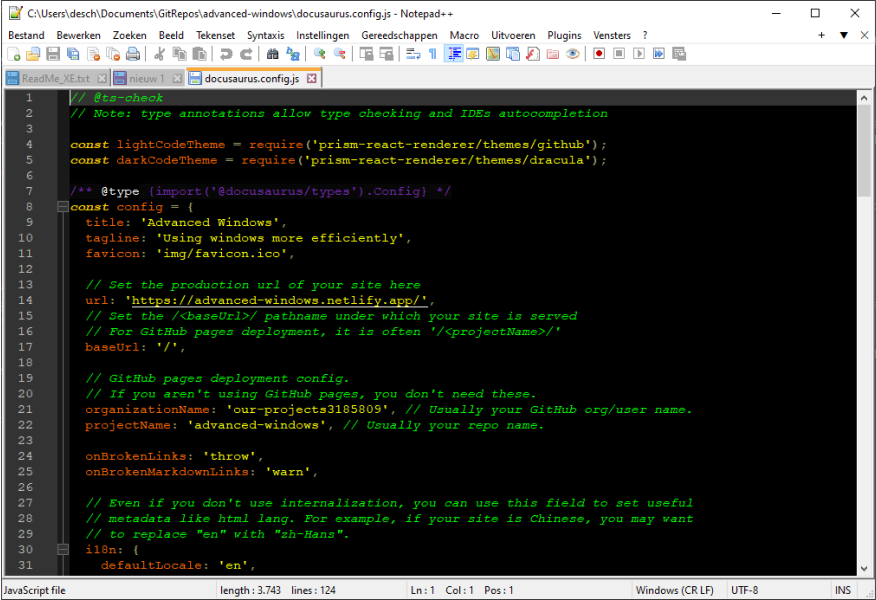
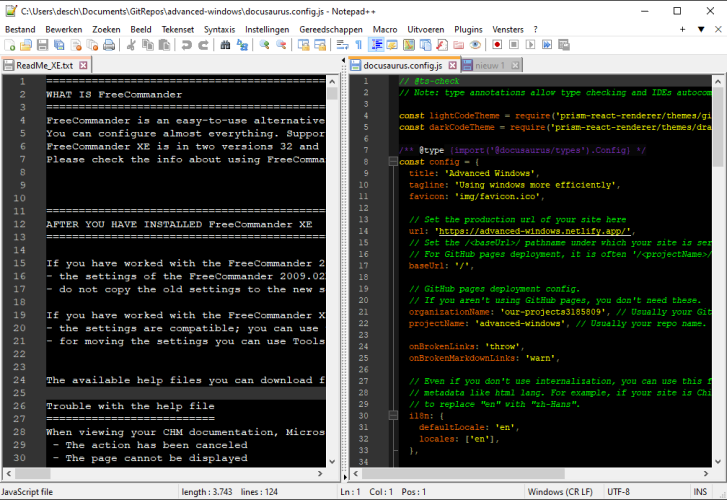
Tho it has some features that are useful for general users as well. It has auto-complete based on words already in the file, so the more you write the more you can auto-complete. It can auto-save files, you don't even need to save them manually, you can just close Notepad++ and next time you open it again your files will still be there.
Yes I said files as in multiple, because Notepad++, like Free Commander XE has tabs, which can also be viewed next to (or above) each other.
Visual Studio Code
Download
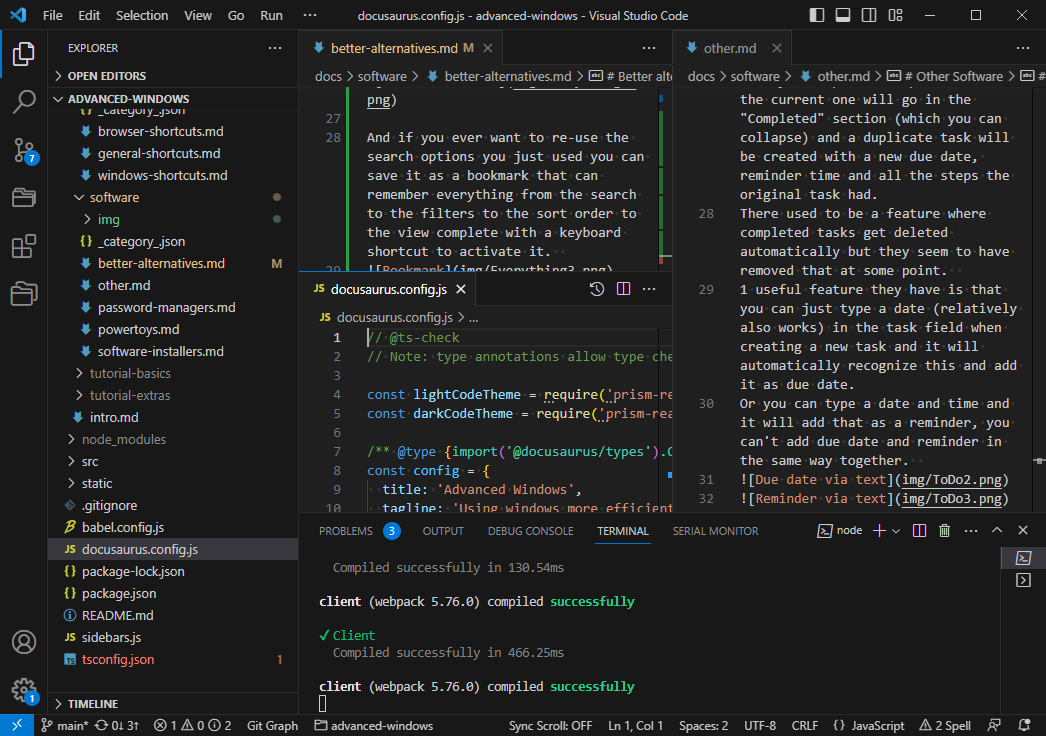
Visual Studio Code is also in the same direction as Notepad++, but where Notepad++ is focused on staying lightweight, VS Code is focused on being the best all-round editor, it's way more than just a text editor. It has features like debugging code, it has a terminal, it has a file system build in, it also has tabs but viewing tabs next to each other is way more versatile, its auto-complete is based on libraries so you can have autocomplete in new files as well, in my opinion it is more user friendly and better looking, you can preview certain file types that you would otherwise have to open in another app... .
It has thousands of extensions from the community to support virtually any file type and language or adding extra functionality like comparing files and folder from within VS Code, adding a project manager, synchronized scrolling between split-view files, having Git and Docker right in VS Code and much, much more.
Honestly it might even be a bit overwhelming for new people.
While I definitely recommend VS Code for developers and people looking for a better text editor, it might not be specialized enough for the former and too overwhelming/technical for the latter.
VLC
Download
VLC is basically a media player like Windows media player, it can play all types of music and video, it simple to use but has a ton of features under the hood for those that that want more functionality.
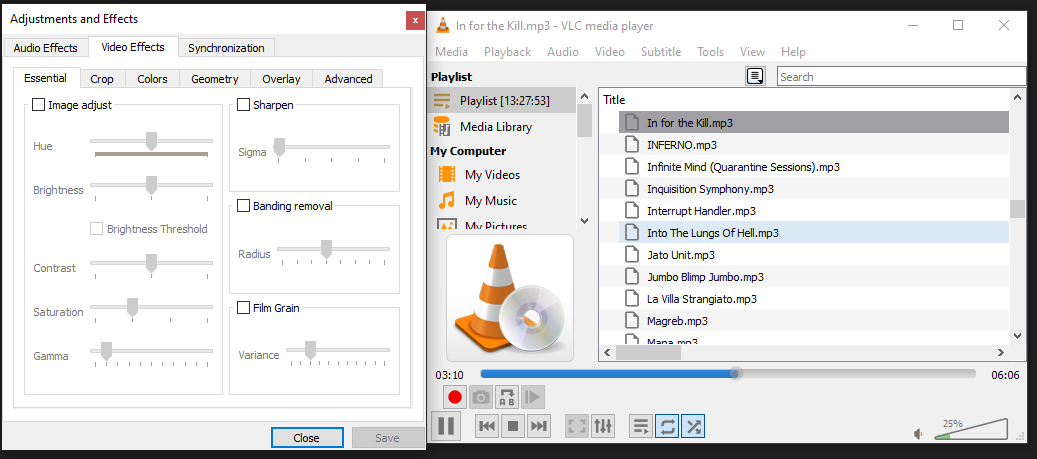
It has keyboard for shortcuts for most of its features, you can swap subtitles, audio tracks and technically even video tracks on videos that have them, same with audio files, minus the video track. You can automatically loop a part of the video/song, speed it up or slow it down.
You can have it stay on top of your other panels or hide it completely in the hidden icons menu of your taskbar. There are build-in equalizers and effect tools for audio and video to completely tweak them to your liking, you can change the timing of the subtitle and audio tracks in case they are not synchronized properly, you can record what you're playing from within vlc, you can shuffle your playlist, loop 1 song or loop the entire playlist.
Simply put it is a very versatile media player that can probably do more than you will need.